Welcome to Restaurant Codex
Everything you can do on the platform – explained in 3 minutes.
| For | Module | Read Time |
|---|---|---|
| Everyone – Owner, Manager & Staff | All Modules | 3 min |
This article gives you a quick lay of the land so you know exactly where to go for what you need.
Codex is built around three modules that work together to solve the biggest problem in restaurants: inconsistency. Here's what each one does.
Module 1 – Operations
The average restaurant loses 4–10% of revenue to food waste and missed execution. Operations keeps every shift running to the same standard – regardless of who's on.
A shift shouldn't depend on who's working it. That's the problem Operations solves.
With Operations, you can:
- Create recurring checklists for opening, closing, and in-between shifts
- Assign one-off tasks to specific staff members with deadlines
- Set up a Shift Calendar so everyone knows what's happening and when
- Watch completions happen in real time on the Live Ops Feed
- Require staff to upload a photo as proof that a task was done correctly
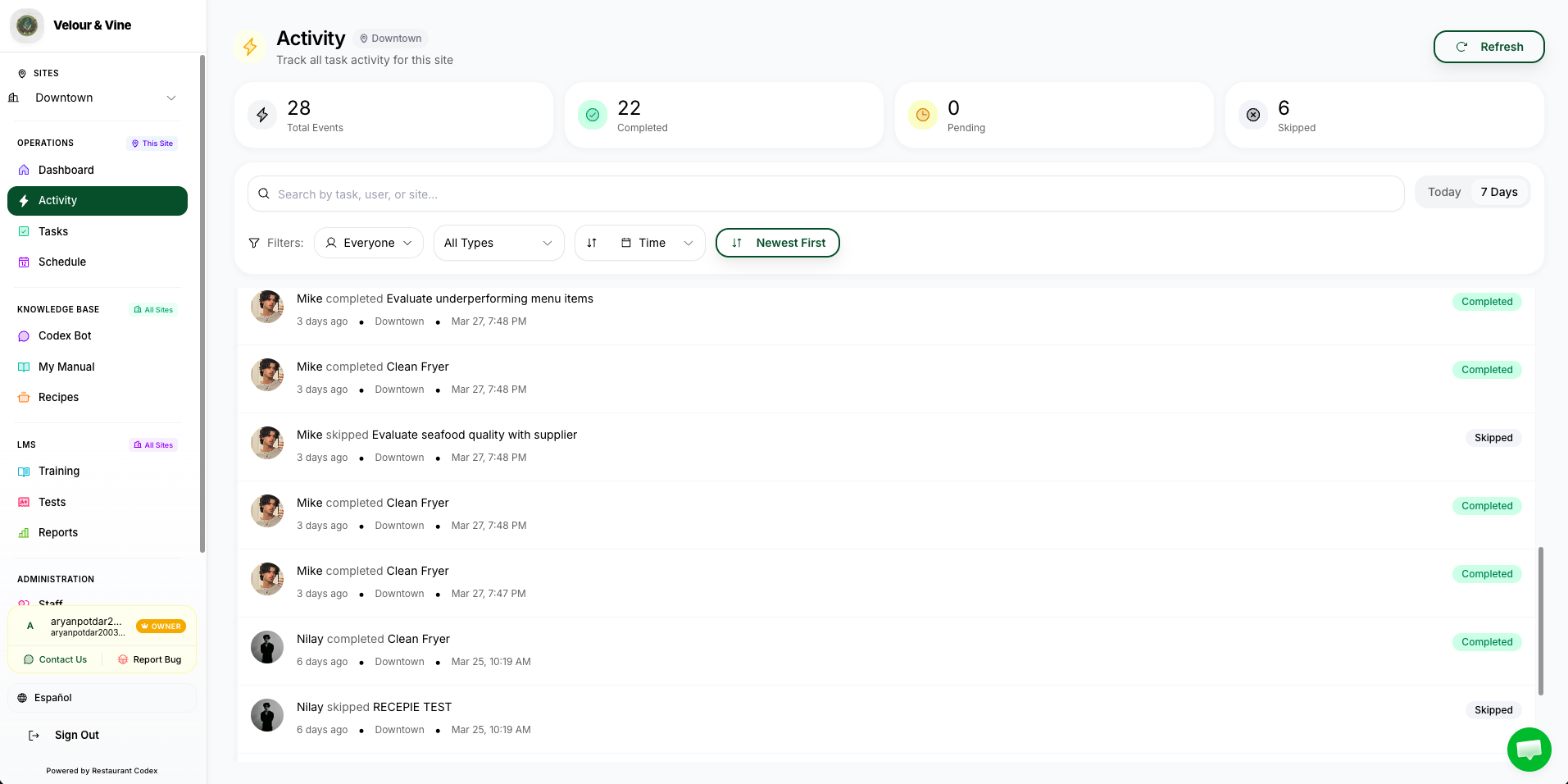
Image A1 — Live Ops Feed (Activity) — Open in Codex
→ Ready to build your first checklist? How to Create Tasks, Checklists & Schedules
Module 2 – Knowledge Base
Stop explaining the same thing twice. The Knowledge Base is your restaurant's single source of truth.
With the Knowledge Base, you can:
- Store every recipe with batch sheets, plating specs, allergen flags, and prep lists
- Upload your own SOPs for opening procedures, closing checklists, health & safety, and more
- Import existing documents, PDFs, or images – Codex AI converts them into structured content instantly
- Give staff access to the Codex Bot – an AI chatbot that answers questions directly from your own SOPs and recipes, 24/7
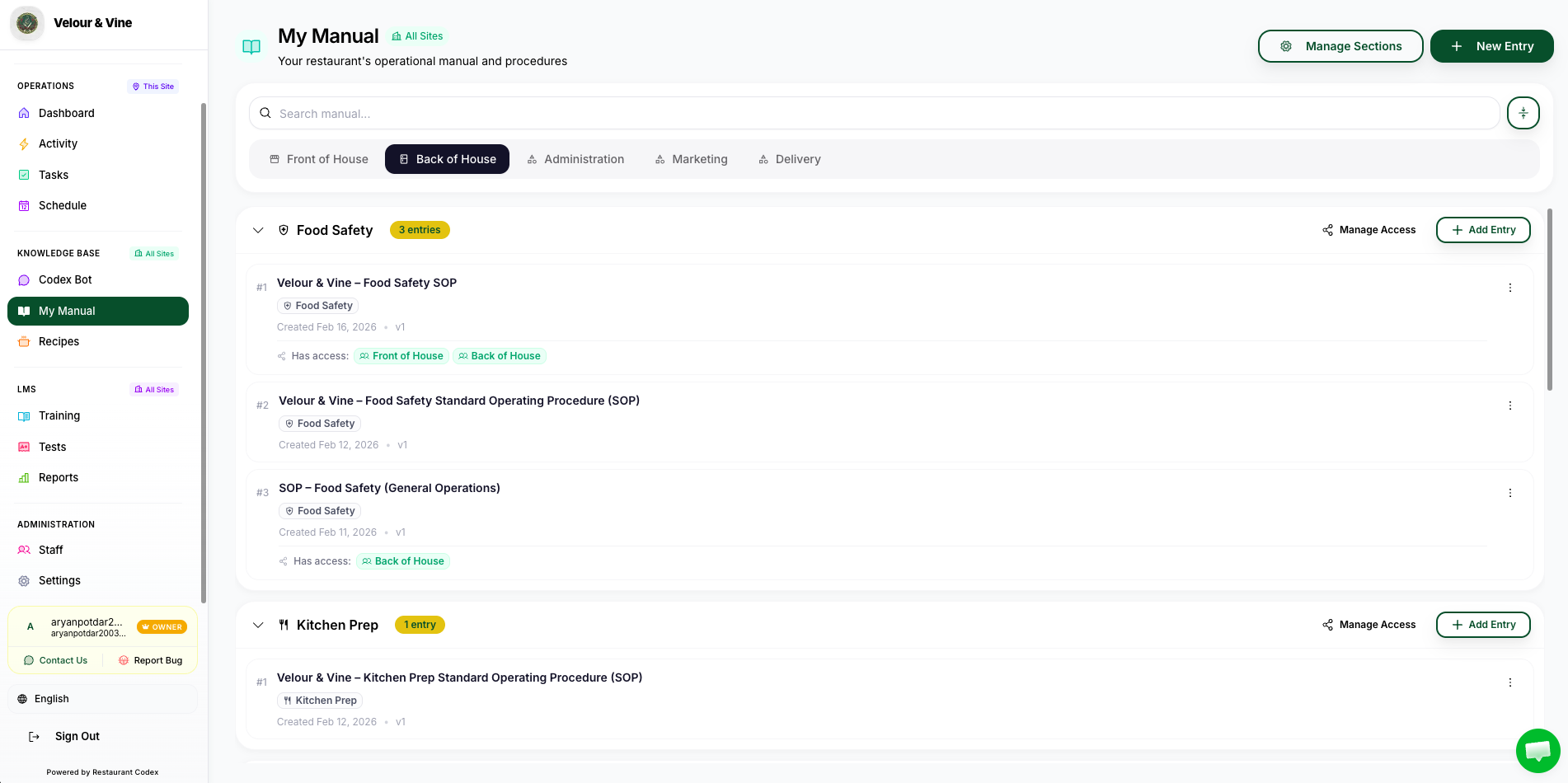
Image A2 — My Manual Section (Knowledge Base) — Open in Codex
→ Ready to build your Knowledge Base? How to Add Recipes & SOPs → Want to understand how staff use the bot? How Your Team Uses the Codex Bot
Module 3 – Learning Management (LMS)
Undertrained staff don't just make mistakes – they slow everyone around them down. The LMS cuts average onboarding from 6 weeks to under 2 weeks. Same process, every time.
New hires should be useful in days, not weeks. The LMS gives you structured training with real checkpoints.
With the LMS, you can:
- Build role-based training courses with modules, quizzes, and hands-on sign-offs
- Assign courses to specific staff or entire teams in seconds
- Track who has completed what – and who hasn't
- View AI-generated progress reports that surface training bottlenecks
- Issue certifications for food safety, equipment, and station competency
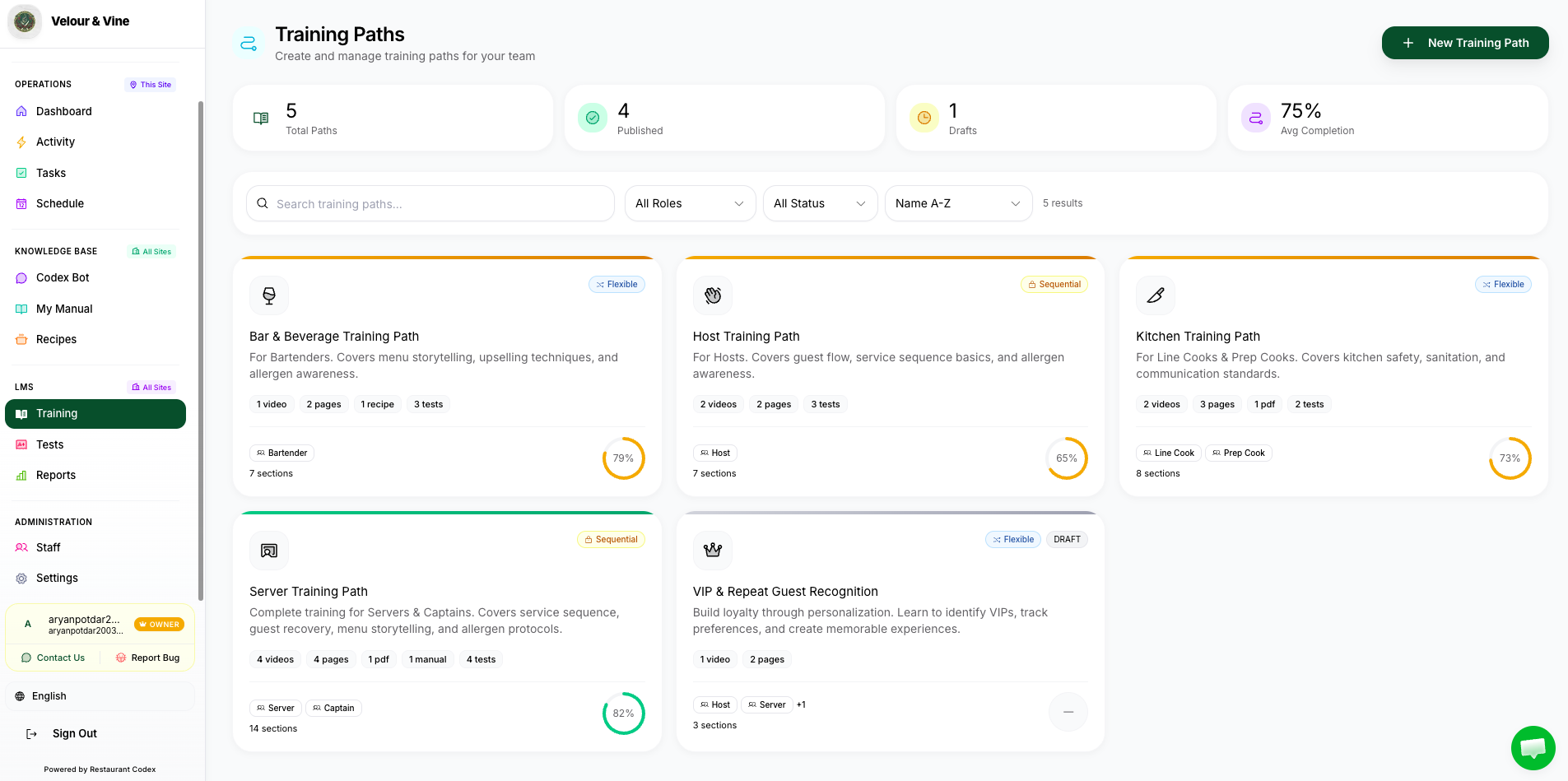
Image A3 — Creating Your Own Training Path — LMS Section — Open in Codex
→ Ready to build your first course? How to Create Training Courses in the LMS (coming soon)
The Three Roles
Everyone in Codex has one of three roles. Your role controls what you see and what you can do.
| Role | Who It's For | What They Can Do |
|---|---|---|
| Owner | One Owner account per organisation | Full control across all sites – create Managers, set permissions, view all data, manage billing |
| Manager | Shift managers, head chefs, floor managers | Control assigned by Owner – invite staff, manage tasks, access KB and LMS for their site(s) |
| Staff | Any frontline team member | Complete tasks, submit photos, use Codex Bot, do training – see only their own view |
Image A4 — The three system roles in Restaurant Codex
Owner: Billing, sites, managers, permissions, full data view.
Manager: Invites staff, assigns tasks, manages SOPs, recipes, and training.
Staff: Completes tasks, uploads proof, uses Codex Bot, completes training.
When you invite a team member, you must select a role before the invite will send. The system requires it – you cannot skip this step.
What You'll See When You First Log In
When you first log in you'll land on the Home dashboard. What you see depends on your role:
- Owners and Managers see the Live Ops Feed, task completion overview, and quick links to all three modules
- Staff see their assigned tasks for the day, any training courses due, and the Codex Bot
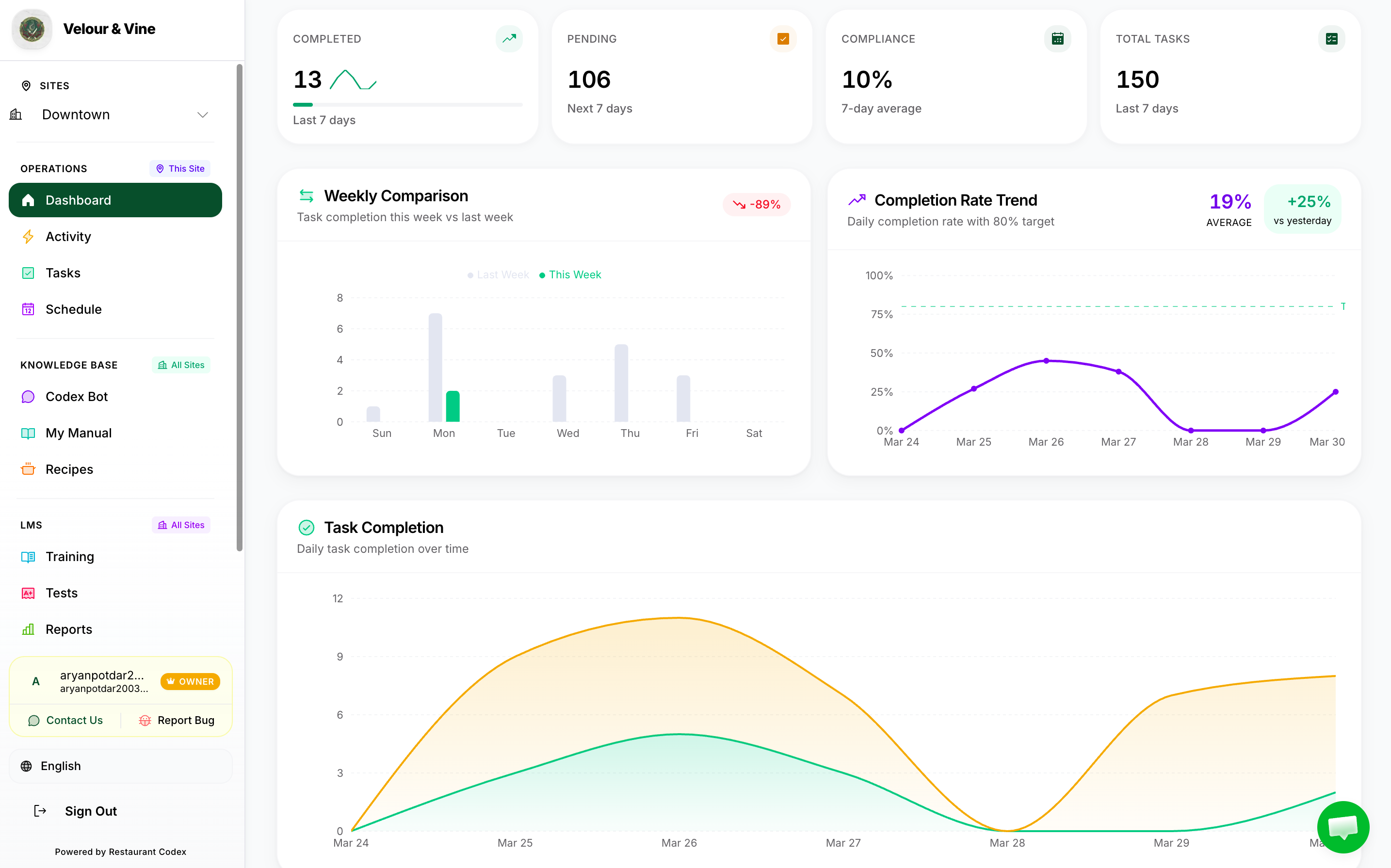
Image A5 — What the Manager/Owner See
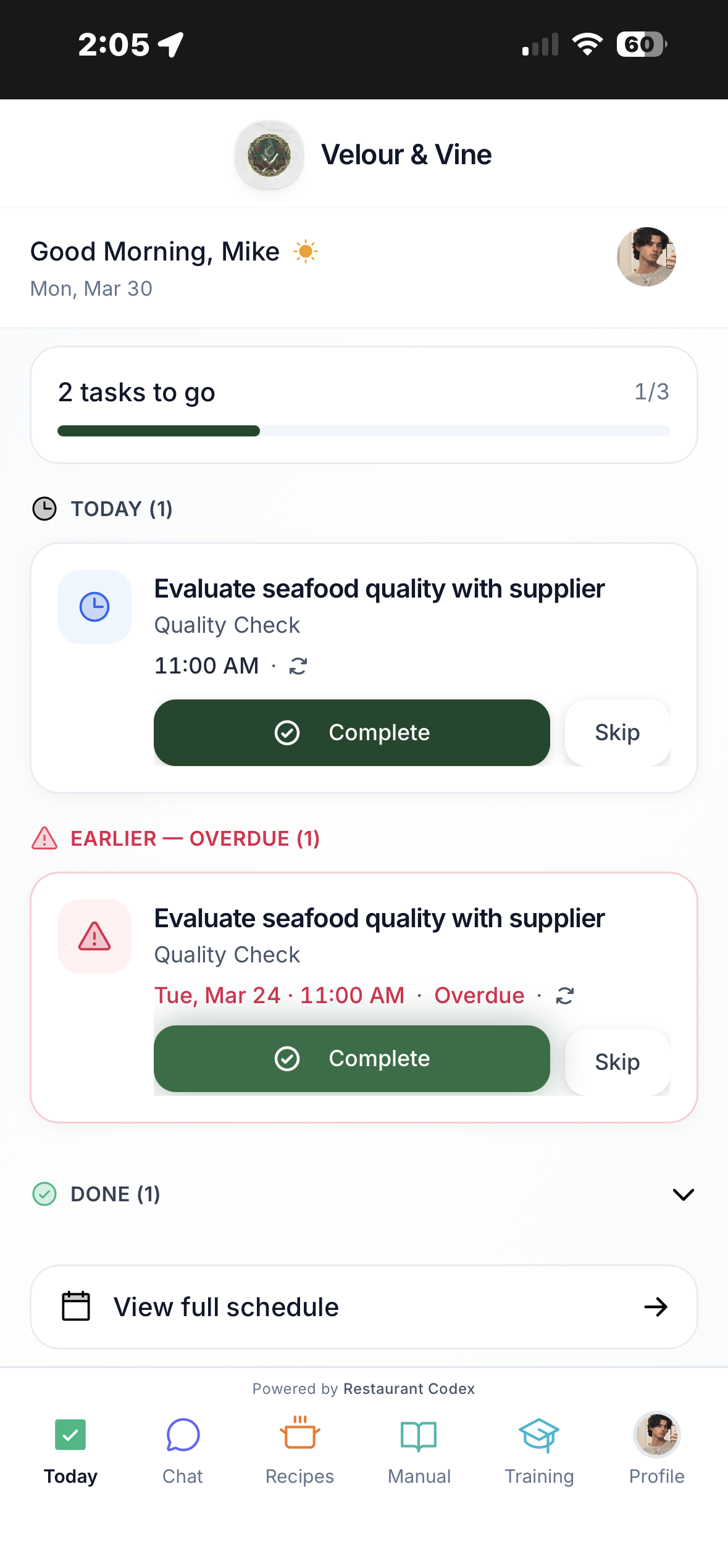
Image A6 — What Staff See
The Six Steps to Going Live
Here's how the onboarding process works – Restaurant Codex sets up your account, then you take it from there:
- Account Created For You – The Codex team creates your account and sends you access. You don't sign up yourself.
- Fill In Your Details – Log in and complete your organisation profile – brand name, location(s), and basic settings.
- Add Your Location (Site) – Set up each restaurant or physical location inside the platform.
- Add Your Staff – Invite your team by phone number and assign their roles.
- Build Your Knowledge Base – Add your own SOPs and recipes. Codex guides you through it – you own the content.
- Go Live – Start running tasks, assigning training, and tracking your operation in real time.
Next Steps
- How to Set Up Your Account & Invite Your Team →
- Installing Codex & Logging In → (share this with your staff)
Chat with us using the support button or email contact@restaurantcodex.com. See how to get started in minutes.