Understanding the Activity Feed, Dashboard & Analytics
See exactly what's happening in your restaurant – in real time and over time.
| For | Module | Read Time |
|---|---|---|
| Owner & Manager | Operations | 4 min |
The dashboard and analytics tools in Codex give you full visibility into your operation – who's doing what, how your sites are performing, and where the gaps are. This article explains everything you'll see and how to use it.
Your Dashboard – The Home View
When you log in as an Owner or Manager, your home screen is your command centre. At a glance you can see:
- Today's task completion rate across your site
- Any overdue tasks that need immediate attention
- Recent activity from the Activity Feed
- A summary of your team's performance this week
Check the dashboard before a shift starts – it tells you in seconds if something is behind schedule. Overdue tasks are flagged prominently so you can follow up immediately.
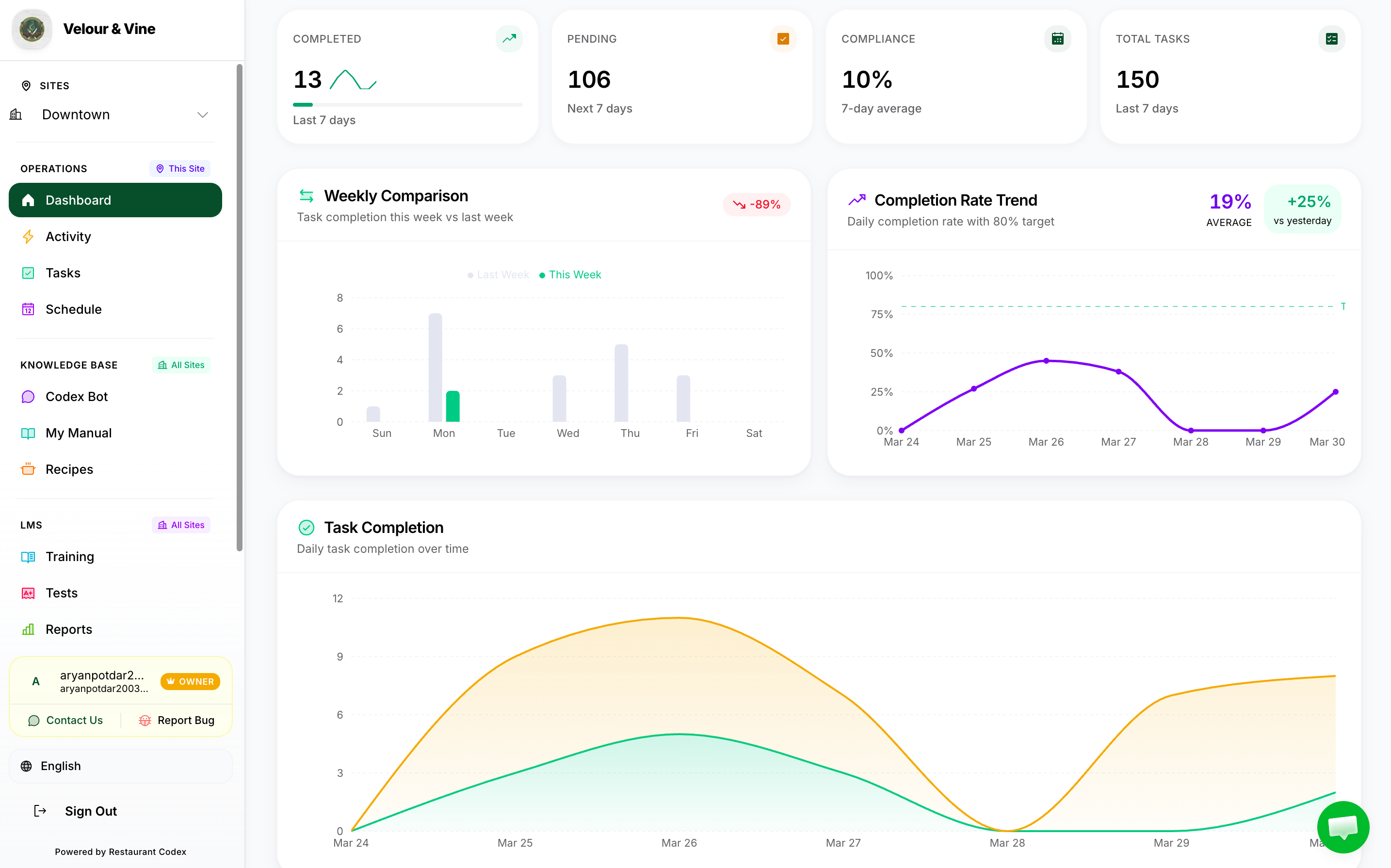
Image B11 — Owner and manager dashboard home view
The Activity Feed
The Activity Feed is a real-time stream of everything happening in your restaurant. Every task completion, every skip, every photo submission – it appears here the moment it happens.
- Real-time: updates instantly – no page refresh needed
- Timestamped: every entry shows who did it and exactly when
- Photo viewable: if a task required photo evidence, view the photos directly in the feed
- Skips visible: when a staff member skips a task, it appears in the feed immediately
- Filterable: filter by staff member, task type, or time period
- Multi-site: Owners see activity across all locations in one combined feed
You don't need to ask staff if something was done – the Activity Feed shows you exactly what happened. If a task is overdue or skipped, it appears in the feed immediately so you can follow up fast.
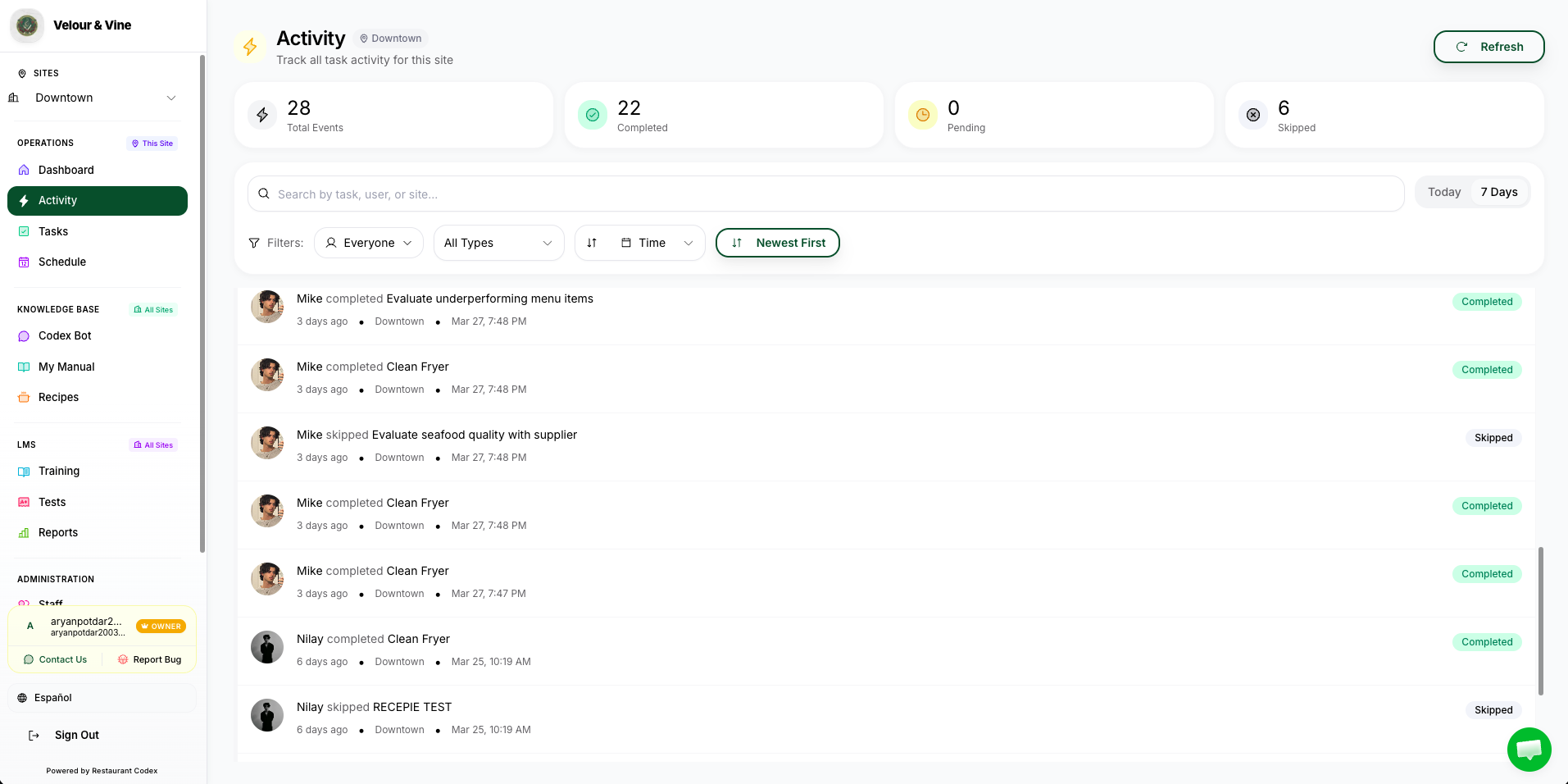
Image B12 — Real-time activity feed
Task Completion Analytics
Task completion analytics show you how well your team is keeping up with assigned work.
- Overall completion rate for your site – updated daily
- Completion rate broken down by task type (one-off vs recurring)
- Trends over time – see if performance is improving week on week
- Which tasks are most frequently skipped or completed late
What the Analytics Show You
| View | What It Tells You | Who Can See It |
|---|---|---|
| Task Completion Rate | % of tasks completed on time across your site(s) | Owner & Manager |
| Staff Activity Log | Timestamped record of every completion, skip, and photo upload by each team member | Owner & Manager |
| Activity Feed | Real-time stream of completions, skips, and activity as they happen | Owner & Manager |
| Site-by-Site Comparison | Performance breakdown per location – see which sites are leading and which need attention | Owner only (multi-site) |
A low completion rate on recurring tasks often means the task is unrealistic, unclear, or assigned to the wrong person. Use this data to adjust – simplify task descriptions, reassign, or change the deadline timing.
Staff Activity Logs
The Staff Activity Log gives you a complete timestamped record of everything each team member has done inside Codex.
- Go to Analytics > Staff Activity
- Select the staff member you want to review
- Set a date range – today, this week, or a custom period
- You'll see every task completion, skip, and photo upload with timestamps
Activity logs exist so you can recognise strong performance and identify where coaching is needed. Use it to have specific, evidence-based conversations with your team.
Viewing Individual Staff Profiles
Every onboarded staff member has a profile in Codex. Clicking on any team member in the Staff section gives you a full snapshot of how they're performing.
- Go to the Staff section in the sidebar
- Click on any staff member's name to open their profile
- You'll see their full performance snapshot
| Stat | What It Shows You |
|---|---|
| Task Completion Rate | The % of tasks this staff member has completed out of those assigned to them |
| Completed Tasks | Full history of completed tasks with dates, times, and any photo evidence |
| Pending Tasks | All tasks currently assigned and not yet completed or skipped |
| Overdue Tasks | Tasks that passed their deadline without being completed or skipped |
| Skipped Tasks | A log of every task this staff member has skipped, with timestamps |
Before a performance conversation, open the staff member's profile – you'll have the exact data you need. A high skip rate or low completion rate is visible at a glance. A strong record is equally visible – recognise it. Staff profiles give every conversation a factual foundation, not a feeling.
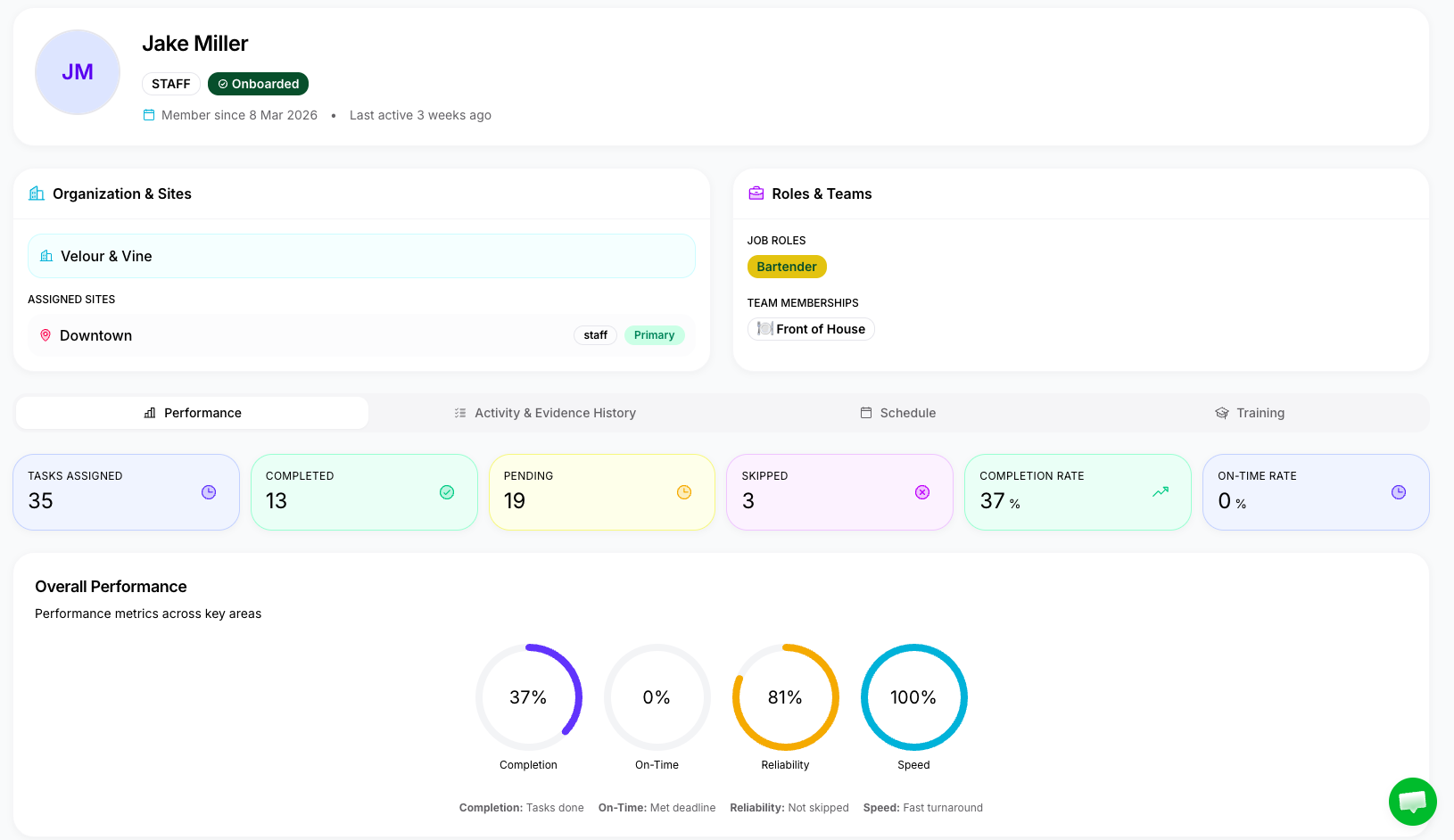
Image B13 — Individual staff profile performance view
Site-by-Site Comparison (Multi-Site Owners)
If you manage more than one location, the Site Comparison view gives you a side-by-side performance breakdown across all your sites.
- See completion rates, skipped tasks, and activity volume per location
- Identify which sites are consistently outperforming – and which need attention
- Drill down into any site to see its detailed analytics
- Use this view in your weekly or monthly operations review
This view is only available if you have more than one active Site in your account. Single-site Owners see all analytics for their one location by default.
Next Steps
- How Tasks & Checklists Work – A Quick Overview → (if you haven't read it yet)
- How to Build Your Recipe Library → (next module)
- How Your Team Uses the Codex Bot →
Chat with us or email contact@restaurantcodex.com. See the full Operations overview.